
Change the Language of the ID.Cam 360° Camera Kit
This page guides you on how to change the system language as well as the voices for the voice alerts of your 360° kit.
Follow the steps below to configure the system according to your preferences.
Step 1: Change the Menu Language
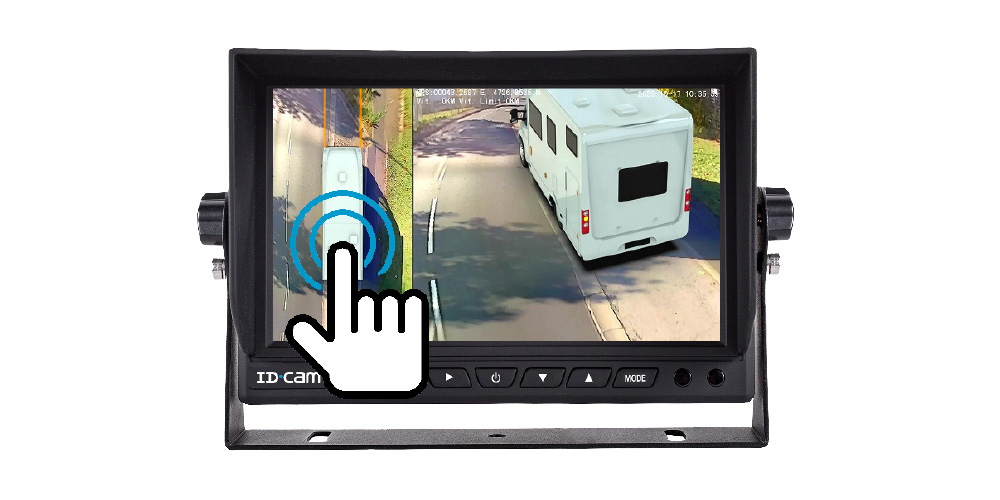
Click on the overhead view of your vehicle model to access the system’s main menu. You will see a menu with 6 functions.
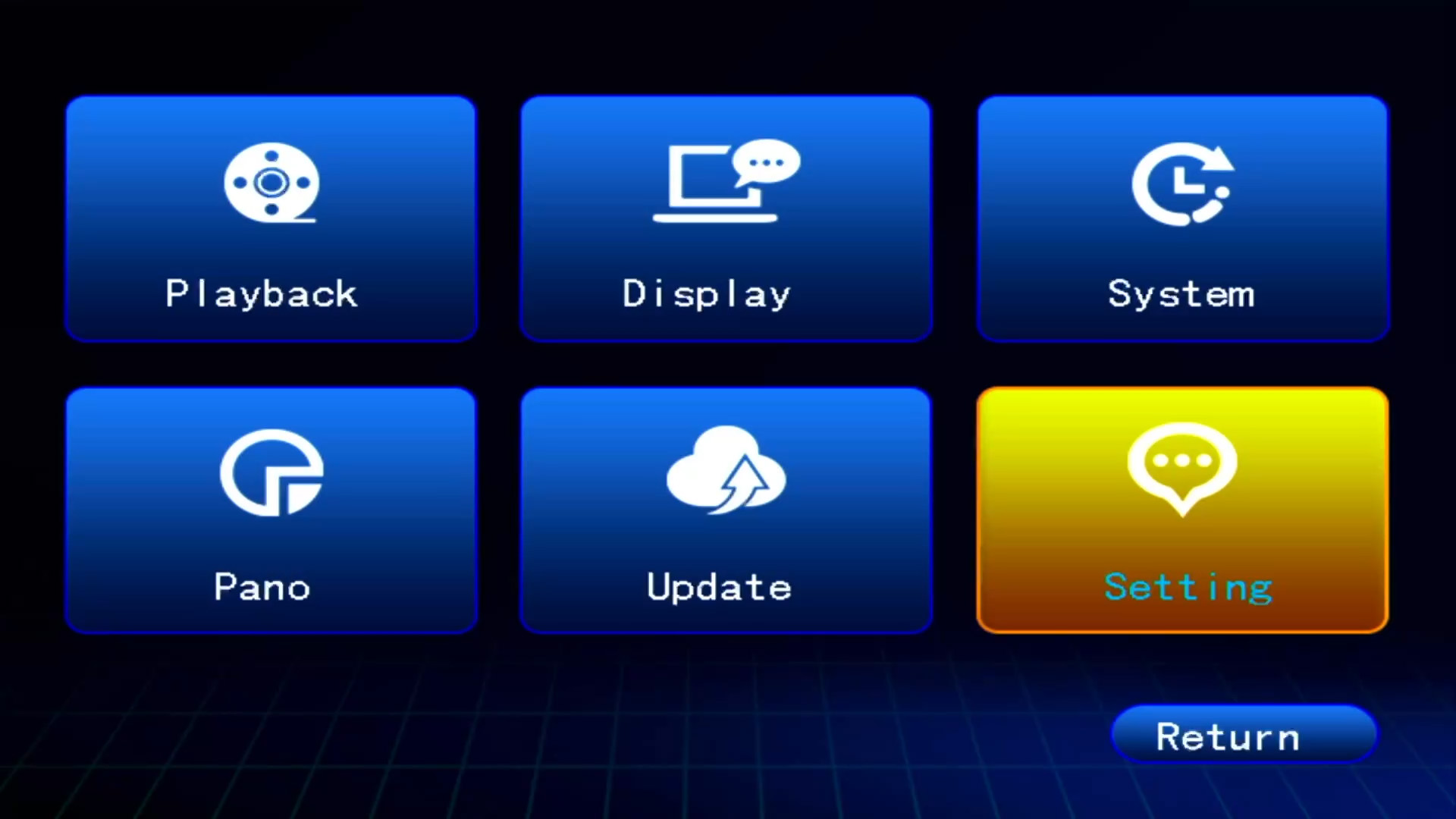
- Click on the "System" menu.
- Enter the default password "000000".
- Navigate to the "System Language" function.
- Select your language and then press "Save" to confirm your choice.
Step 2: Change the Voice Alert Files
You will need: a computer and a micro USB cable to connect your PC to the management box (black box) of the 360° kit.
Locate your management box:
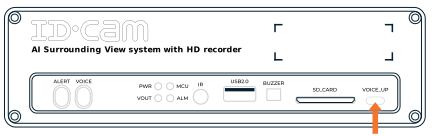
- Connect your computer to the micro USB "VOICE_UP" port of the box.
- Delete the old files.
- Download the folder of voice files corresponding to your language:
⚠️ Download these files from a computer (PC or Mac). Each ZIP contains the 49 voice files for the chosen language. Unzip them, then copy them directly to the device after deleting the old files.